How long DNS changes take to propagate — and how to check
How long DNS takes to propagate depends on what you changed. After you change a DNS record or nameservers, the update doesn't reach everyone at once: each network keeps a copy of the old answer for a set time (the TTL). In practice an **A record** change is visible within 15–60 minutes and a **nameserver** change within 1–24 hours; “up to 48–72 hours” is the theoretical worst case, not the norm. That's why a site may already open on your phone but not on the office laptop — both are right, they're just asking different caches.
What “propagation” actually is
DNSDNS is the internet's phone book: it turns your domain name into the addresses of the servers that host your website and email. «Changing DNS» means editing those entries at your registrar.→ is the internet's phone book. When someone types your domain, their device doesn't ask the registrar directly — it asks the nearest resolver (the home router, the mobile operator, Google's 8.8.8.8), which remembers answers for a while so it doesn't have to look everything up again. Each record carries a TTLTTL (time to live) is how long, in seconds, a DNS record may be cached before it's re-checked. It decides how fast changes spread: 300 = 5 minutes, 86400 = a day. Leave the default unless you are planning a move.→ (time to live) — how many seconds a resolver may keep the old answer. DNS propagationDNS propagation is the time it takes for a DNS change to be seen everywhere, as caches around the world expire. Usually minutes to a few hours; nameserver changes can take up to 24–48 hours.→ is simply the period while thousands of resolvers worldwide are still holding the old copy and gradually replacing it as their timers run out.
How long each type of change takes
| Change | Typical | Worst case | Why |
|---|---|---|---|
| New A recordAn A record is the DNS entry that says «this name lives at this IPv4 address». It's how a domain is pointed at a server when you connect by IP instead of changing nameservers.→ / CNAME recordA CNAME record makes one name an alias of another — e.g. www.yourdomain.com → yourdomain.com, or shop.yourdomain.com → your shop platform's address. Used for www and subdomains, not for the bare domain.→ (didn't exist before) | 5–15 min | ~1 h | Nothing to expire — only “not found” answers are cached briefly |
| Edited A record (old value existed) | 15–60 min | Old TTL (often 1–24 h) | Resolvers keep the old IP until its TTL runs out |
| Nameservers (NS)Nameservers are the servers that hold your domain's DNS records. Changing them (usually two addresses like ns1.example.net) hands the whole DNS setup to a new provider — the simplest way to connect a domain to a website.→ change | 1–4 h | 24–48 h | The registry's NS records have long TTLs (often 24–48 h) |
| MX recordMX records tell the world which mail servers receive email for your domain. Google Workspace, Microsoft 365 or your host each give you their own MX values; wrong or missing MX = no incoming mail.→ / TXT recordA TXT record is a free-text DNS entry used to prove you own the domain (Google, Meta, Microsoft) and to set email rules (SPF, DKIM, DMARC). Harmless to add, essential for verification.→ (email, verification) | 15–60 min | Old TTL | Same as any record; verification wizards re-check themselves |
| Newly registered domain | Minutes to a few hours | ~24 h | The registry publishes the domain in its next zone update |
The famous “48–72 hours” comes from old registrar disclaimers written for the slowest possible case. Real-world nameserver changes at major registrars usually show up in the first few hours.
Why the site opens on one device but not another
- Different resolvers. Your phone on mobile data asks the carrier's DNS; your laptop on Wi-Fi asks the router/ISP. One has refreshed, the other hasn't.
- The browser's own cache. Chrome and Firefox keep DNS answers for a minute or so and keep *pages* much longer — a private window often shows the new site immediately.
- The operating system cache. Windows and macOS keep answers too (see “flush” below).
- Corporate or public Wi-Fi sometimes caches far beyond the TTL. Checking from a second network is the quickest sanity test.
- Two records exist at once (old and new A record) — then it's not propagation but a real error: half of the visitors get the old site forever. Delete the old one.
How to check propagation right now
Check your domain
Enter a domain to see its current nameservers, where the website points, whether www and email are set up, and which registrar it's with.
Step 1
Check from the world, not from your computer
dnschecker.orgorwhatsmydns.net: enter the domain, pick the record type (A for the website, NS for nameservers, MX for email) and you'll see what resolvers in 20+ countries currently answer. Green ticks with the new value = done there; a mix = still propagating.Step 2
Check what the authoritative source says
The tool above (and the one in How to connect a domain) asks the domain's own nameservers. If that still shows the old value, the change wasn't saved at the registrar — no amount of waiting will help.
Step 3
Bypass your own caches
Open the site in a private window, or from your phone on mobile data. On Windows:
ipconfig /flushdnsin the command prompt; on macOS:sudo dscacheutil -flushcache; sudo killall -HUP mDNSResponder. Or just restart the router.
Can you speed it up?
- Lower the TTL in advance. If you plan a change, set the record's TTL to 300 (5 min) a day *before*; after the change raise it back. Only works for records you edit — not for nameserver changes, whose TTL is set by the registry.
- Keep the old server up for a day after switching so late visitors still see a working site — hosts usually do this by default.
- Don't re-save the record every hour “to push it” — it changes nothing and makes it harder to see what's live.
- Make the change in the evening — fewer visitors hit the in-between state.
What to do while you wait
- Check the registrar actually saved the change (open the domain page again — typos in nameservers are the #1 cause of “it's been two days”).
- Test on a second network; if it works there, you're done — the rest is just cache.
- Don't change anything else in DNS during the wait; one change at a time keeps the picture clear.
- Prepare the next step: on WebFora the SSL certificate is issued automatically right after DNS lands; elsewhere, have the host's SSL page ready. See SSL certificate for a website.
- After 24 hours with no change anywhere on dnschecker — stop waiting and go through the domain not working checklist.
Common mistakes
- Blaming propagation for a typo.
ns1.cloudflare.comvs the actual unique name you were given; a missing dot; the old nameserver left in the list. - Checking only from your own browser. It has the oldest cache of all. Use dnschecker or mobile data.
- Changing the record again after an hour because “it didn't work” — now two changes are propagating and you can't tell which answer is current.
- Treating the parking page as proof it didn't work. The parking page is the *old* answer, which is exactly what a cache shows.
- Forgetting www — the apex propagates fine, but
wwwnever had a record. That's not propagation; add the record.
FAQ
How long does DNS propagation really take?+
A records: usually 15–60 minutes. Nameserver changes: usually 1–4 hours, occasionally up to 24–48. The 72-hour figure is a theoretical maximum from registrar disclaimers, not what normally happens.
What is TTL in DNS?+
Time to live — the number of seconds a resolver may keep a cached answer before asking again. TTL 3600 means up to an hour of lag after a change; 300 means five minutes. Nameserver records at the registry usually have TTLs of a day or two.
Why does my website open on my phone but not on my computer?+
They use different DNS resolvers (mobile carrier vs home router/ISP) and the computer's cache hasn't expired yet. Try a private window, flush the DNS cache or restart the router.
How can I check if DNS has propagated?+
Enter the domain on dnschecker.org or whatsmydns.net and choose the record type; it shows answers from resolvers around the world. Our DNS check tool above shows what the domain's own nameservers answer right now.
Can I speed up DNS propagation?+
Only by lowering the record's TTL before you make the change and by flushing your own caches. Nameserver TTLs are set by the registry and can't be shortened; re-saving records doesn't help.
Do I have to wait for propagation before SSL is issued?+
Yes — the certificate authority must see the domain pointing to the host. On WebFora the certificate is issued automatically within minutes of DNS landing.
It's been 48 hours and nothing changed — what now?+
That's no longer propagation. Check the registrar saved the change, that you edited the right domain, that there's no second old record, and that the domain isn't expired or locked. The domain-not-working checklist walks through each cause.
Was this guide helpful?
Related guides
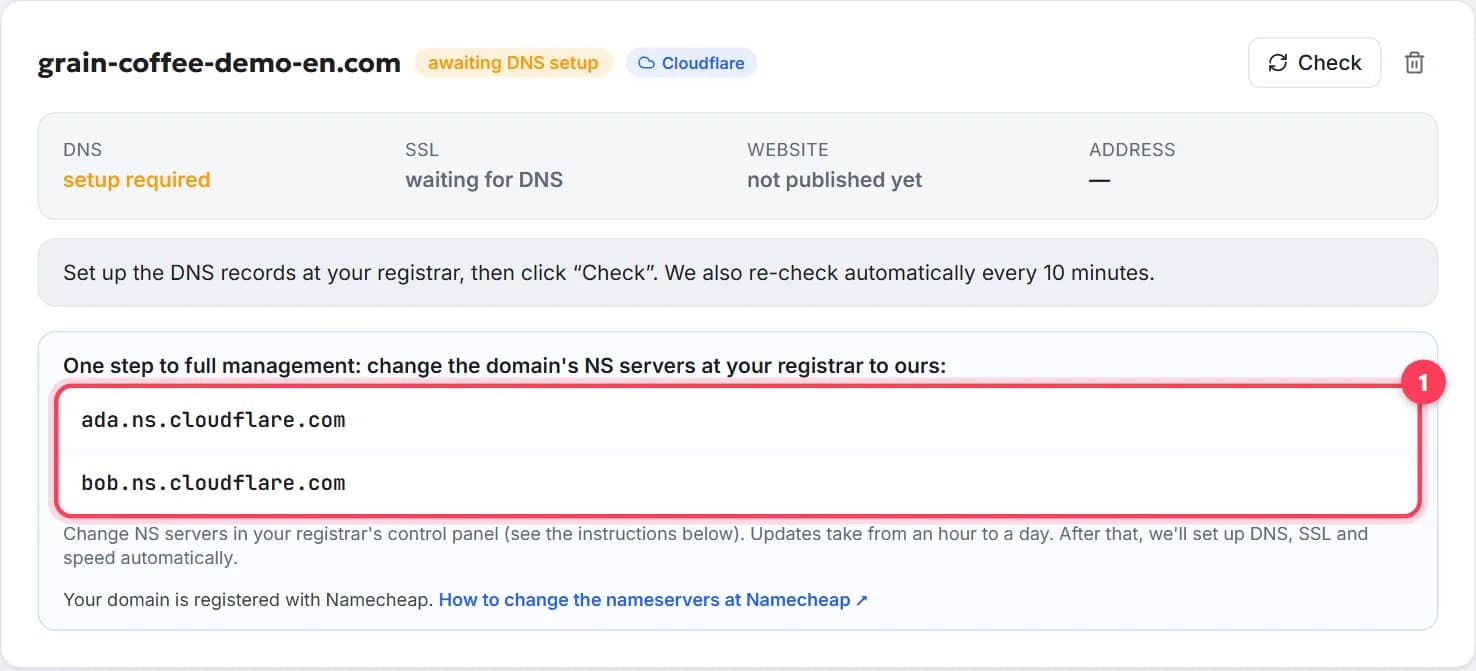
How to connect a domain to a website, step by step
Point your domain to your website in 5 minutes, free: nameservers or A record, where to click at GoDaddy or Namecheap, how long it takes, how to check.
8 min readDomain not working? Bought a domain but the website doesn't open: a 10-minute checklist
Domain not working after you bought it? Check in order: expired domain, no records, wrong nameservers, propagation, www, SSL, cache, parking page.
8 min read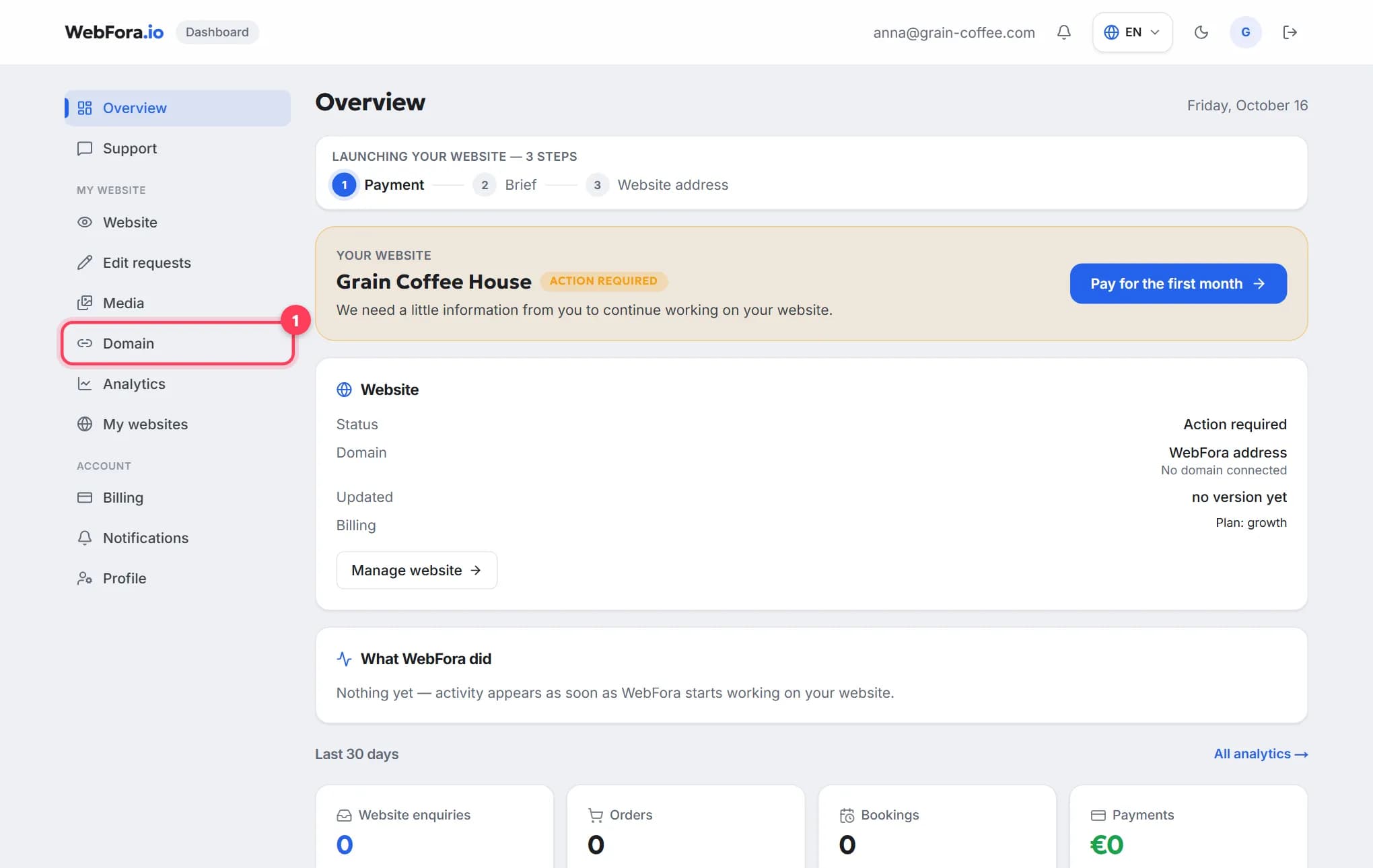
How to connect your own (custom) domain to your WebFora website
Connect your own domain to your WebFora website in 5 minutes: enter it in the dashboard, set two nameservers at your registrar — we do DNS, SSL and HTTPS.
6 min read