How to change the nameservers of a domain, step by step
To change nameservers, open your domain at the registrar, find the Nameservers (or DNS servers) section, switch it to custom nameservers and paste the two to four addresses your website host gave you. Save — the change spreads across the internet within an hour to a day. It is free, and the domain stays yours and at the same registrar.
What nameservers are, in plain words
Every domain has a small “address book” — its DNSDNS is the internet's phone book: it turns your domain name into the addresses of the servers that host your website and email. «Changing DNS» means editing those entries at your registrar.→ records — that says where the website lives, where email should go and so on. Nameservers (NS)Nameservers are the servers that hold your domain's DNS records. Changing them (usually two addresses like ns1.example.net) hands the whole DNS setup to a new provider — the simplest way to connect a domain to a website.→ are the computers that keep that address book. Changing nameservers means telling the internet “from now on, the address book for mybusiness.com is kept over there”. The domain itself does not move: it stays at your RegistrarA registrar is the company you buy and renew a domain from (GoDaddy, Namecheap, IONOS…). Its control panel is where you change nameservers, DNS records and renewal settings.→, you keep paying renewal to the same company, nothing about ownership changes.
When you need to change them (and when you don't)
| Situation | Change nameservers? |
|---|---|
Your website host or builder gave you 2–4 addresses like ada.ns.cloudflare.com | Yes — this is exactly the case |
| Your host gave you an IP address instead | No — add an A record; see connecting a domain to a website |
| You want to move the site to another host that uses your current DNS | No — just edit the records |
| You want to move the domain to another registrar | No — that is a transfer, a different thing |
| You connect a domain to WebFora | Yes — you set only the two nameservers we issue; here is our flow |
What you need before you start
- Login to the registrar account where the domain was bought (not sure which one? the WHOISWHOIS is the public lookup that shows who registered a domain, when it expires and which nameservers it uses. Most registrars hide personal details with free privacy protection.→ check further down tells you).
- The new nameservers — two to four addresses from your host, usually shown in its dashboard under “Domains”. They look like the example below.
- If the domain already has email on it (Google Workspace, Microsoft 365, your hosting mailbox): a copy of the current email records (MX, TXT) — see the section on email below.
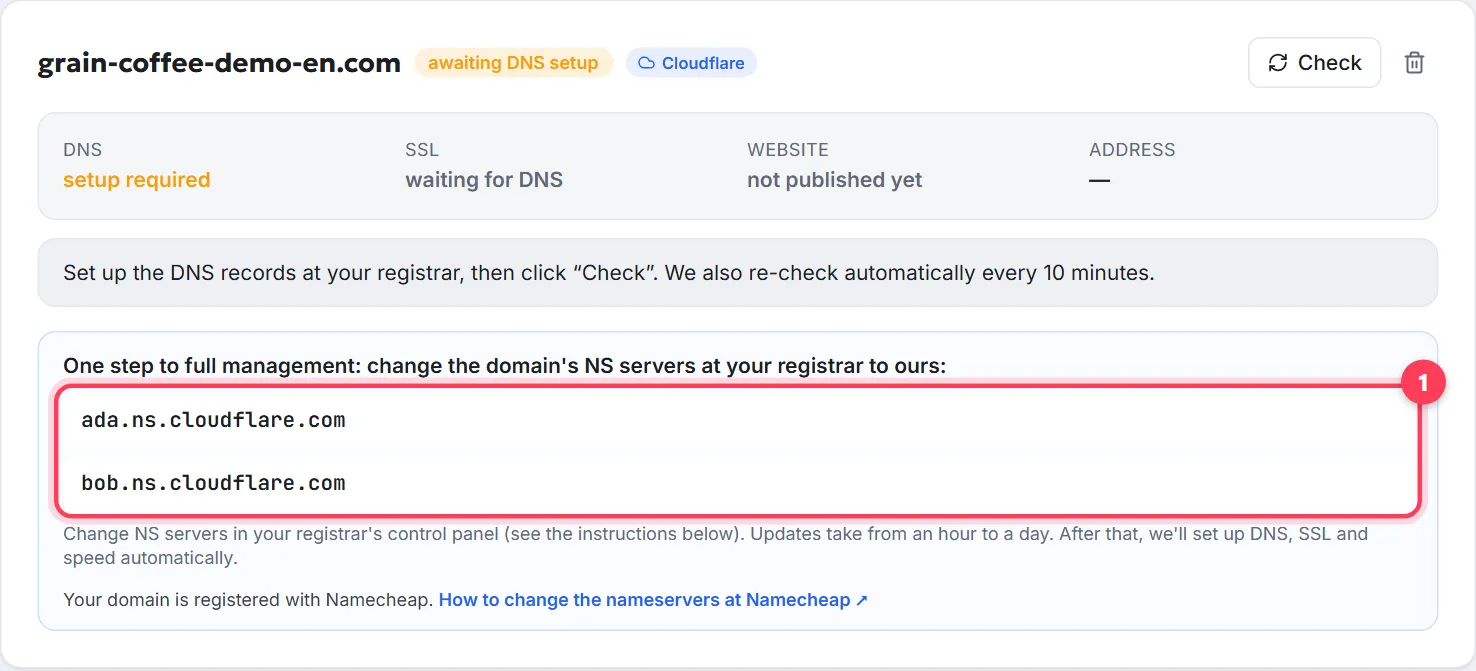
Step by step: changing the nameservers
Step 1
Open the domain at your registrar
Sign in, go to the list of domains and open the one you are changing. How to know it worked: you see the domain's own settings page with sections like DNS, Nameservers, Renewal, Transfer.
Step 2
Find the Nameservers section and switch to “custom”
It is usually a drop-down or radio button with the registrar's default option selected (“Registrar nameservers”, “Basic DNS”, “Parking”). Choose Custom nameservers / Custom DNS / I'll use my own nameservers.
Step 3
Replace the old addresses with the new ones
Delete all existing entries and paste the new ones exactly as given — one per field, without
http://, spaces or a trailing dot. If the host gave you nameservers and IPs, enter only the nameservers. Enter all of them (usually two, sometimes four). How to know it worked: the form shows only the new addresses.Step 4
Save and confirm
Click Save (at some registrars a green tick or “Continue”). Registrars with extra protection may ask for a code from your email or authenticator app. How to know it worked: the domain page now lists the new nameservers, and you may get a confirmation email.
Step 5
Wait and check
The change spreads in 1–24 hours (DNS propagationDNS propagation is the time it takes for a DNS change to be seen everywhere, as caches around the world expire. Usually minutes to a few hours; nameserver changes can take up to 24–48 hours.→). Check with the tool below: when it shows the new nameservers, the host takes over — usually it then sets up the website records and the SSL certificate itself.
Where to change nameservers at GoDaddy, Namecheap, Porkbun, IONOS, Cloudflare
| Registrar | Path | Note |
|---|---|---|
| Namecheap | Domain List → Manage → section Nameservers → choose Custom DNS → enter the addresses → green tick | Up to 24 h per Namecheap |
| GoDaddy | Domain Portfolio → domain → DNS → Nameservers → I'll use my own nameservers → Save → Continue | Domain Protection may ask for a verification code |
| Porkbun | Account → Domain Management → Details of the domain → edit icon next to Nameservers → delete old, enter new, Save Nameservers | Warns that Porkbun-hosted email stops once you leave its nameservers |
| IONOS | Domains list → gear icon under Actions → Name Server → Use Custom Name Servers → fields Name Server 1–4 → Save | Reset Settings returns the IONOS defaults |
| Cloudflare Registrar | Not possible — domains registered at Cloudflare always use Cloudflare's nameservers | Use DNS records instead, or transfer the domain elsewhere |
Menu names change from time to time; if the path above doesn't match, search the registrar's help centre for “nameservers”. Other registrars (Hostinger, Squarespace Domains, Google-era domains, OVH, Gandi…) have the same section under the domain's settings.
What happens to email and the other DNS records
This is the one place people get burned. After the switch, only the records stored on the new nameservers count — whatever you had at the old DNS (an MX recordMX records tell the world which mail servers receive email for your domain. Google Workspace, Microsoft 365 or your host each give you their own MX values; wrong or missing MX = no incoming mail.→ for email, TXT records for verification, a subdomain for a booking system) is ignored, even though you can still see it in the old panel. So:
- Before switching, open the current DNS records and save a screenshot or copy of the MX, TXT and any custom records.
- Create the same records on the new nameservers (many hosts import them automatically — Cloudflare scans the existing records when you add a domain; WebFora's manager copies them for you). Check the MX records are there.
- Only then change the nameservers. Email keeps working without a gap.
How long a nameserver change takes, and how to check
Check your domain
Enter a domain to see its current nameservers, where the website points, whether www and email are set up, and which registrar it's with.
- The registrar sends the new nameservers to the domain registry within minutes; the rest of the internet picks them up gradually — usually within an hour, sometimes up to 24–48 hours. The old entries live in caches until their TTLTTL (time to live) is how long, in seconds, a DNS record may be cached before it's re-checked. It decides how fast changes spread: 300 = 5 minutes, 86400 = a day. Leave the default unless you are planning a move.→ runs out.
- The tool above shows the nameservers the registry reports right now, plus the registrar and days to expiry. Free alternatives:
whatsmydns.netordnschecker.org, type NS. - During the wait some visitors see the old site and some the new one. That is normal and ends by itself.
- If after 48 hours the old nameservers still show: open the registrar page again — the save may not have gone through, or a verification email is waiting in your inbox.
Common mistakes
- Entering only one nameserver. Enter every address the host gave you — the registry may reject a single one, and redundancy is the point.
- Mixing old and new. Half the queries go to the old servers that know nothing about the new site. Delete the old addresses completely.
- Typing the IP instead of the name. The field wants
ns1.example.com, not numbers. (Our flow never involves an IP at all.) - Forgetting email records — see above. Symptoms: the website works, email bounces a few hours later.
- Changing nameservers at the wrong place. If the domain uses Cloudflare DNS but is registered at GoDaddy, the nameservers are changed at GoDaddy — always at the registrar.
- Expecting a transfer. Changing nameservers does not move the domain or change who you pay. For that see transferring a domain.
What's next
Once the new nameservers show in the check, the host sets up the website records and SSL; after that the site opens on your domain with the padlock. Keep an eye on the domain's expiry date — if the registration lapses, nameservers stop answering too (how renewal works).
FAQ
What are nameservers in simple terms?+
They are the servers that keep a domain's DNS records — the list that says where the website and email live. Changing nameservers changes who keeps that list, not who owns the domain.
How long does it take to change nameservers?+
Usually under an hour, in rare cases up to 24–48 hours while caches around the internet expire. The registry itself is updated within minutes.
How many nameservers do I need to enter?+
All the ones your host gave you — most often two, sometimes four. Enter at least two; a single nameserver is often rejected.
What happens to my DNS records after changing nameservers?+
The old records stop being used. Only the records on the new nameservers count, so recreate email (MX, TXT) and any custom records there before switching.
Will changing nameservers break my email?+
Only if the new nameservers don't have your MX records. Copy them over first — then email continues without interruption.
Is changing nameservers the same as transferring a domain?+
No. Nameservers only decide where DNS is managed; the domain stays with the same registrar. A transfer moves the domain to another registrar and needs an auth code.
Can I change nameservers for a domain registered at Cloudflare?+
No — Cloudflare Registrar domains always use Cloudflare's nameservers. Add the records your host needs in Cloudflare DNS instead, or transfer the domain to another registrar.
Does changing nameservers cost anything?+
No. It is a free setting at every registrar. You only pay for the domain's renewal and for your website or hosting.
Was this guide helpful?
Related guides
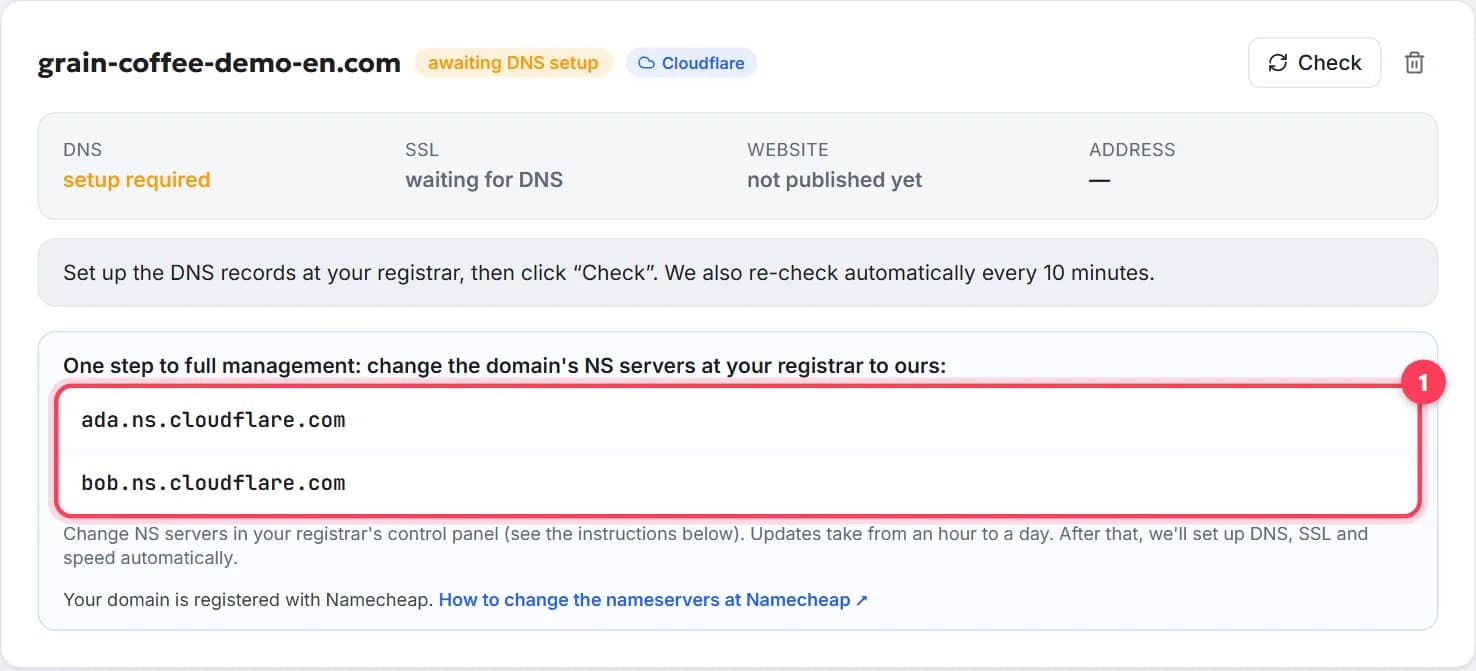
How to connect a domain to a website, step by step
Point your domain to your website in 5 minutes, free: nameservers or A record, where to click at GoDaddy or Namecheap, how long it takes, how to check.
8 min read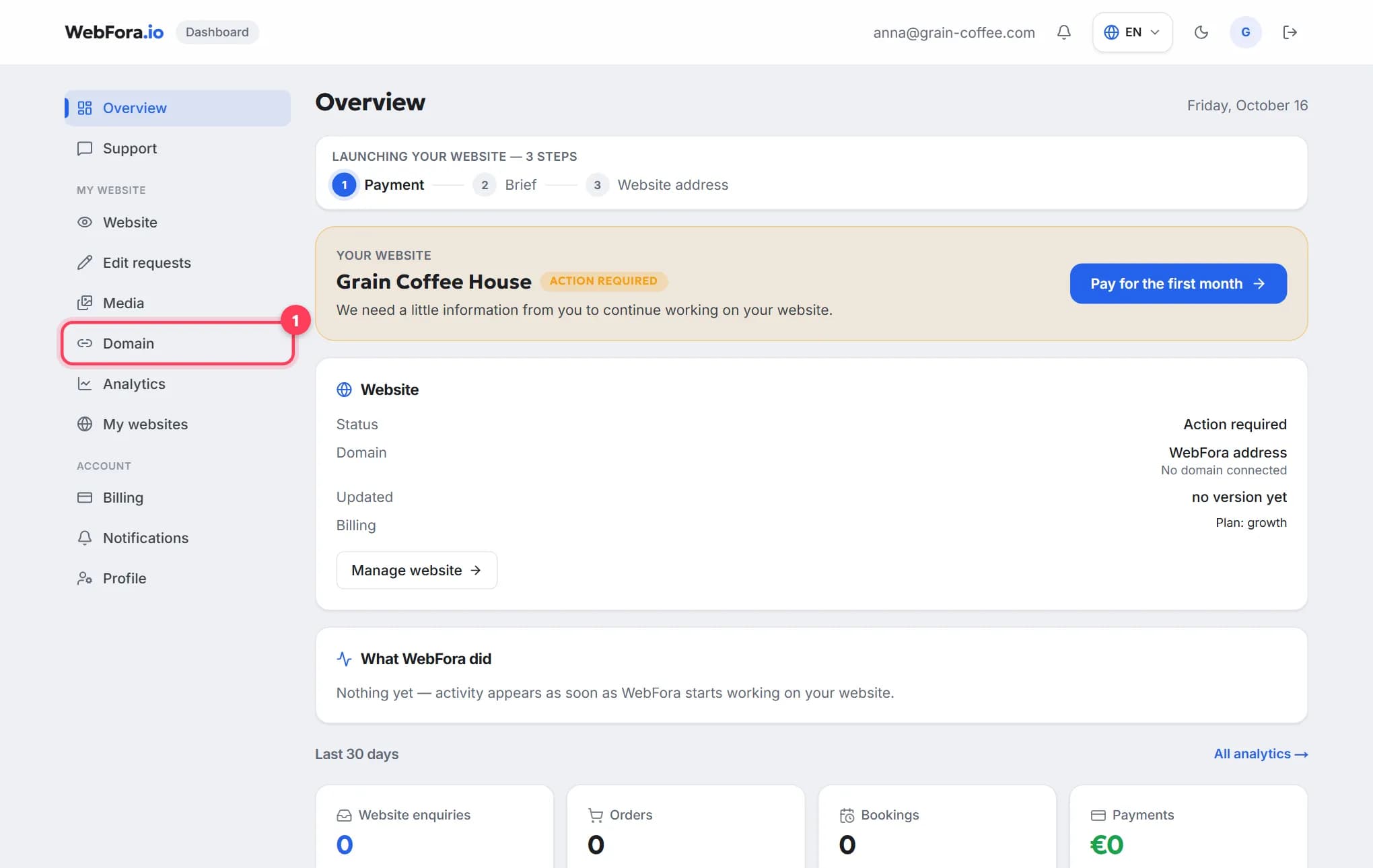
How to connect your own (custom) domain to your WebFora website
Connect your own domain to your WebFora website in 5 minutes: enter it in the dashboard, set two nameservers at your registrar — we do DNS, SSL and HTTPS.
6 min readHow to transfer a domain to another registrar, step by step
Transfer a domain name to a new registrar in 5 steps: unlock, get the EPP/auth code, the 60-day rule, how long it takes, cost, what keeps working.
9 min read