PWA, done for you
Sometimes customers don't need to look you up in an app store: they just open your site and add it to their home screen. A PWA gives the familiar app experience — an icon, notifications, a fast launch — without app review or a separate version for each platform.
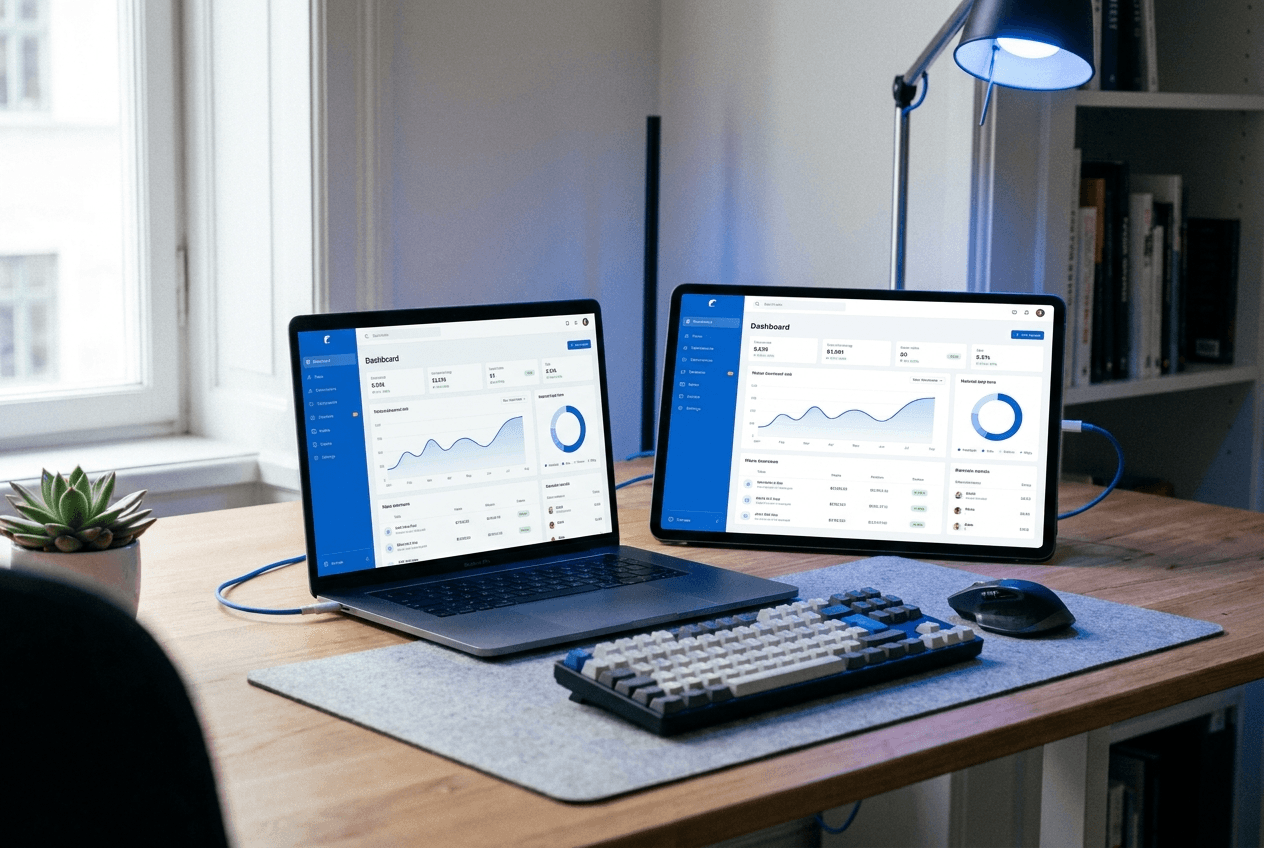
What the “PWA” project includes
The solution scope we usually plan for a project — the final feature set is fixed at the brief.
Install to home screen
A clear “Add to home screen” prompt appears at the right moment, and your icon stays on the customer's phone.
Fast launch
Key screens are stored on the device, so the app opens almost instantly even on an unstable connection.
Offline mode
The catalog, menu or recent orders are available without internet, and the customer's actions are sent as soon as the connection returns.
Push notifications
Reminders and news arrive on the phone screen — within the limits each platform sets.
Search visibility
Unlike a native app, PWA pages are indexed by search engines, so new customers reach you straight from the results.
Groundwork for a native version
We design the architecture so that, as your audience grows, the backend and logic can be reused in an app for the stores.
We build a PWA: it works like a native app without app stores — installs from your website, sends push notifications, opens offline. Fast and affordable.
PWA vs native app: when a PWA is enough
A PWA is a website that behaves like an app: it can be added to the home screen, opens without an address bar, works on a poor connection and can send notifications. For many local business scenarios — a menu, bookings, a catalogue, a loyalty card — that is enough. The customer doesn’t need to go to an app store, search for you and wait for a download, so the path from first visit to order is noticeably shorter.
A native app wins when you need deep camera access, background location, Bluetooth connections to devices or the phone’s payment features, as well as a presence in the App Store and Google Play as a signal of trust. On iOS, PWAs have limitations: installation is less obvious to users, and notifications only work after the app has been added to the home screen. If that is critical, we’ll honestly recommend going native.
PWA development cost and what it depends on
A PWA usually costs less than a native app: one version instead of two, no developer account fees and no review for every update. But the final price depends on what exactly the app does. A storefront with an offline menu and an order button is a small project, while a service with customer accounts, payments and rewards is closer in scope to full-scale development.
The scope is defined by the number of screens, the complexity of offline mode, notification scenarios and the connection to your systems — POS, inventory or CRM. If you already have a website, it is sometimes more cost-effective to turn it into a PWA than to build everything from scratch: you keep your address, search rankings and the design your customers know. A review of your current site during the brief will show which option makes more sense.
How PWA development works
First we define what will bring the customer back: a repeat order, a booking, checking their rewards. That determines which screens to cache for offline access and which notifications are genuinely useful rather than annoying. Then we design the interface for a thumb, not a mouse — with large buttons and navigation at the bottom of the screen, just like the apps people are used to.
During development we focus on speed: a PWA has to open faster than a regular website, otherwise there’s no point. We test installation and notifications on different phones and browsers, because iOS and Android behave differently. After launch we look at how many customers added the icon and how they use the service — and use that data to decide whether it’s worth moving to a native version.
This is custom development, done for you: we run a brief, describe the features, design around your business logic, and agree the design, timeline and estimate before work starts. We take on the architecture, development, integrations and launch.
Cost and timeline depend on the scope — we estimate individually for the task, not from a single price list. After launch we stay in touch: support, improvements and product development.
Build your project and see the estimate
Choose the type, the features you need, the design tier and the timeline — you’ll see a preliminary price range and duration. We fix the exact estimate after a short brief.
What matters in the “PWA” project
We build the solution around what actually moves your business and your processes — not for the sake of it.
Installs straight from the site in one tap — no searching the store
One version for iOS, Android and desktop, with updates delivered instantly
Push notifications and works on a weak connection
Pages show up in search, just like a regular website
Let’s discuss your project: PWA
Describe the task in a short brief and we’ll come back with an estimate of scope, timeline and cost. Free, no obligation.
What the project includes
The full cycle — from idea and design to launch and support, by one team with a transparent estimate.
Questions about the “PWA” project
Will the PWA appear in the App Store and Google Play?
Not by default — it's installed directly from the site. If a store presence matters, a PWA can be prepared for publishing on Google Play, while the App Store usually requires a native wrapper — we discuss that separately.
How much faster is a PWA to launch than a native app?
Usually noticeably faster: there's no app review and no two separate versions. If we build on your existing site, the timeline gets even shorter, but the exact schedule depends on the feature set.
Will push notifications work on iOS?
Yes, on current versions of iOS, but only after the customer has added the app to their Home Screen. That's why we design a clear installation prompt.
PWA: how much does it cost, done for you?
The price depends on the scope: we estimate by features, design and timeline. Describe the task in the calculator on this page to get a “from–to” range, and after the brief we fix the exact estimate. Payment in stages.
Who owns the code and the result?
You do. Once the project is complete and paid for, we hand over the source code, access and documentation. Support and further development can stay with us — by agreement.
We also build websites for others in the “Apps” niche

Shall we discuss your project?
Tell us about the task — we will come back with an estimate of scope, timeline and cost. Free and with no obligation.